Profit & Loss Dashboard
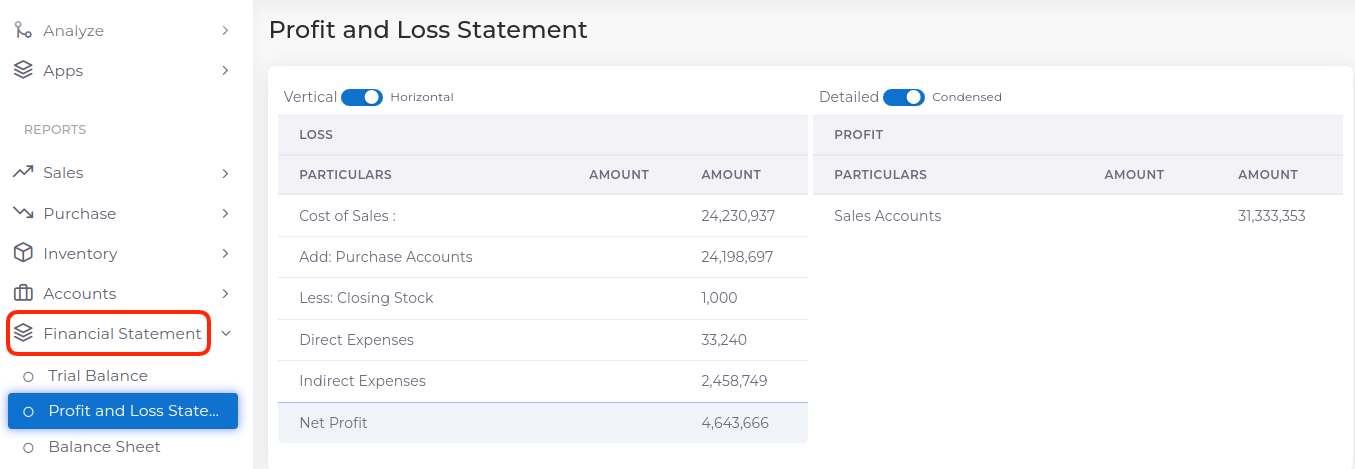
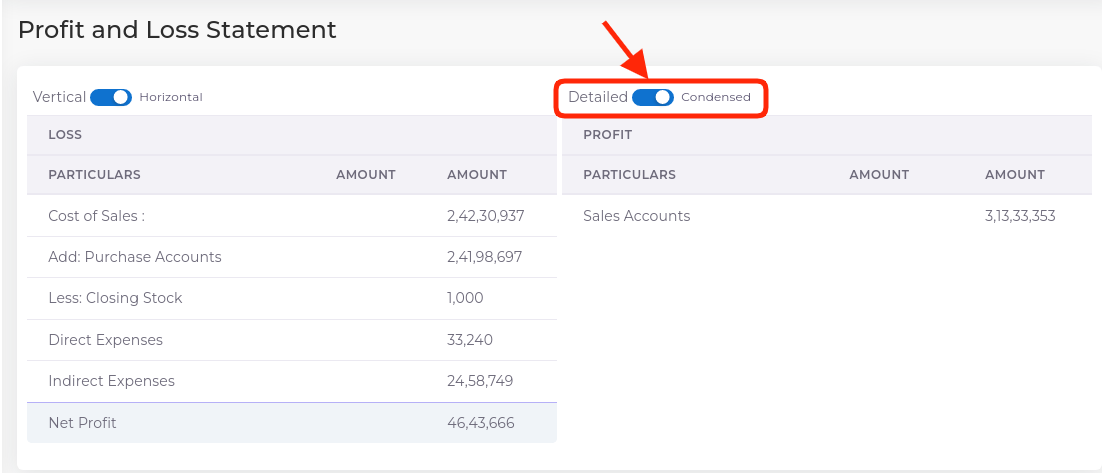
The Profit & Loss A/c is a periodic statement, which shows the net result of business operations for a specified period.
How to Access Profit & Loss in TallyGraphs
Go to Apps ==> Profit & Loss
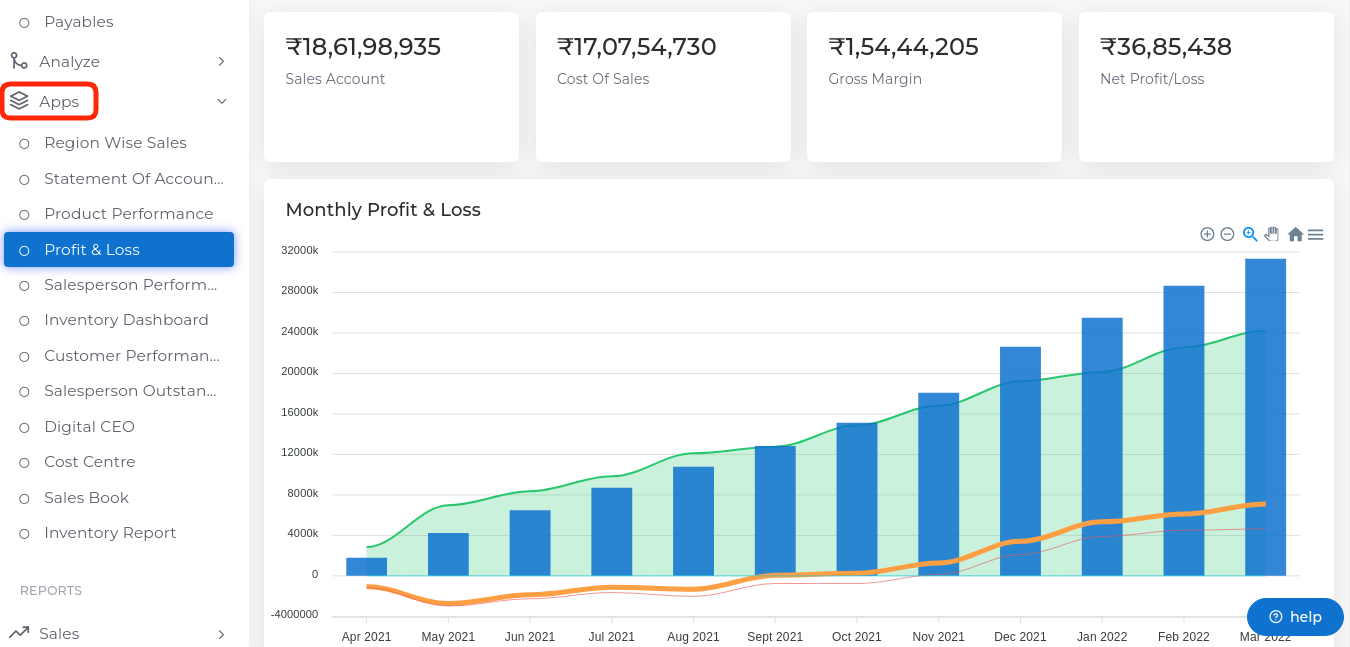
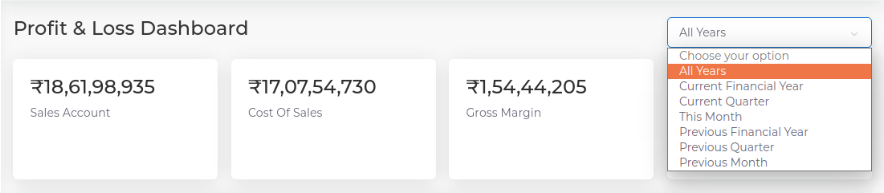
Growth Metrics
- Sales Account
- Cost Of sales
- Gross Margin
- Net Profit & Loss
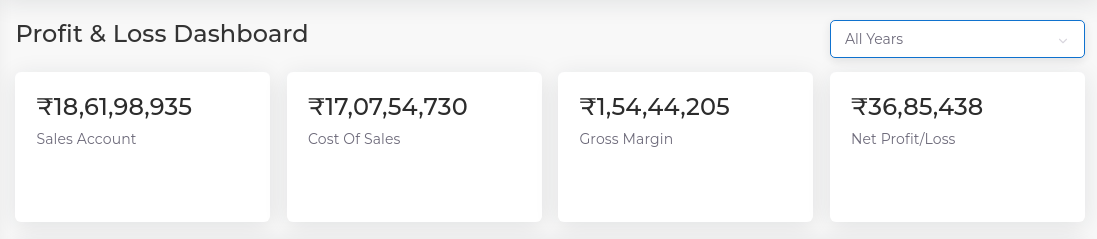
Filter Options
Using this filter Options, You can be select Optional Easily.The options available in the filters are following
- All Years
- Current Financial Year
- Current Quarter
- This Month
- Previous Financial Year
- Previous Quarter
- Previous Month
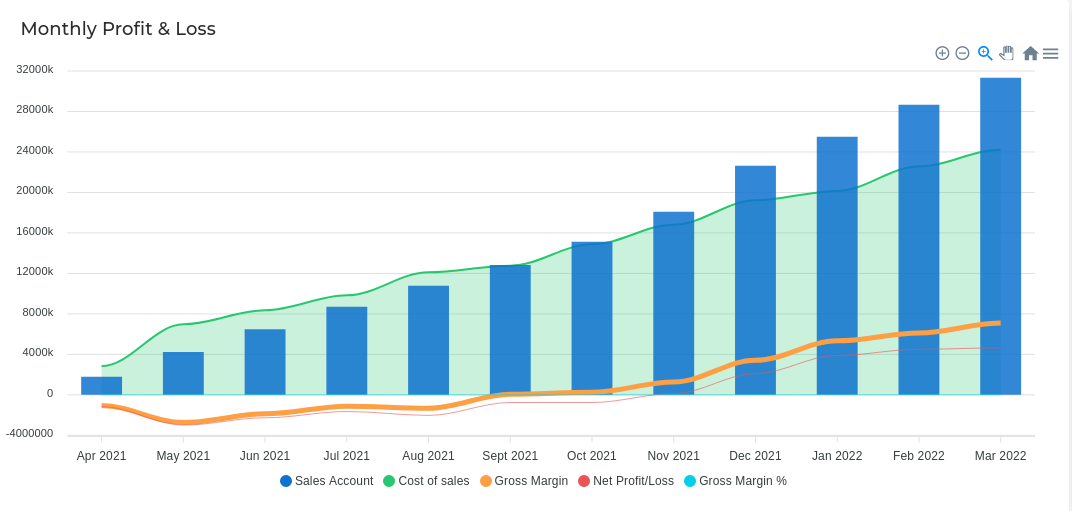
Monthly Profit & Loss
The monthly profit and loss report is a financial statement that summarizes the revenues, costs and expenses incurred over a calendar month.
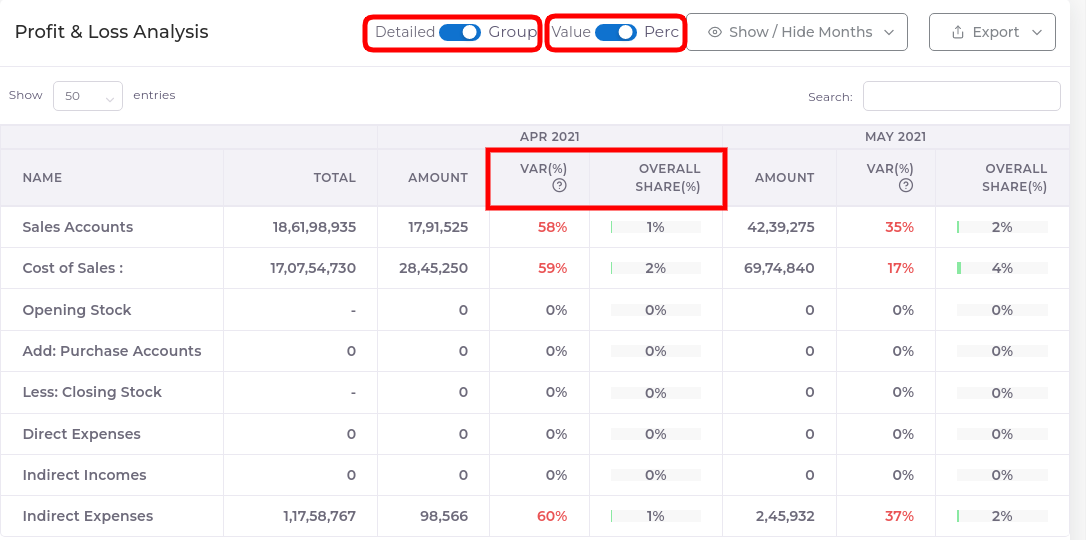
Profit & Loss Analysis
A profit and loss analysis report is “a financial statement that summarizes the revenues, costs, and expenses incurred during a specific period.” This report usually covers a fiscal quarter or year.
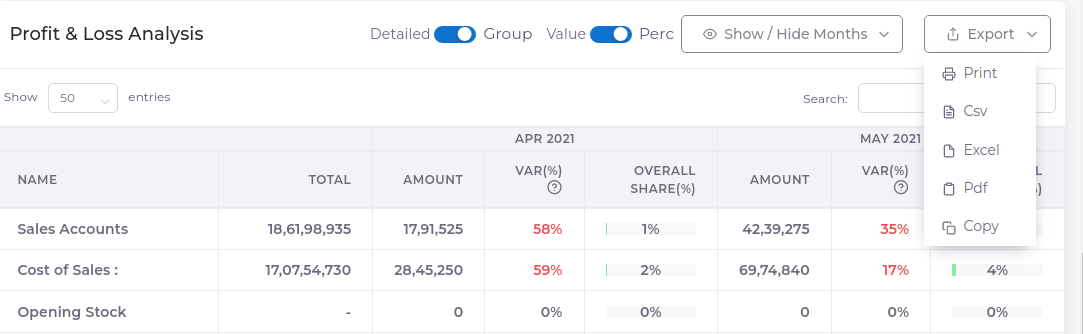
To Print a Excel
- Go to the Export button
- Select Print
Financial Year Profit & Loss Statement
Go to Fianancial Statement ==> Profit & Loss Statement