Stock Summary Report in Tally.ERP 9
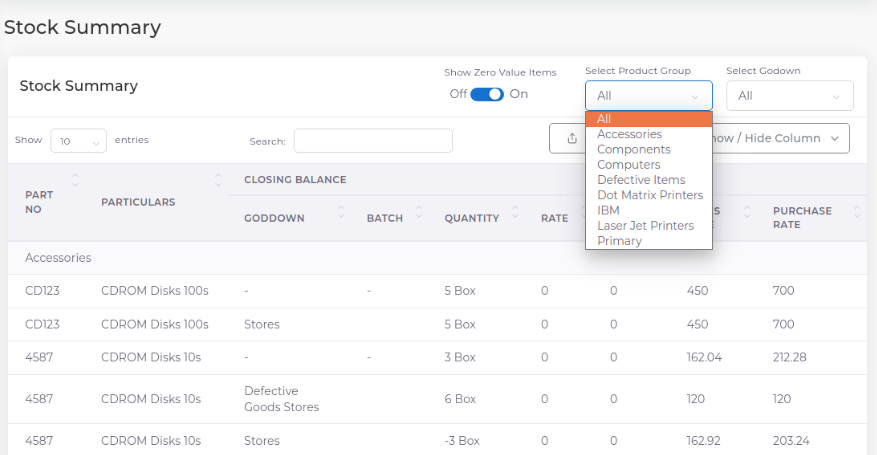
The Stock Summary report displays the current position of stocks or stock in hand for a particular date. From this Tally report a business owner can view item-wise rates, quantity and value of stocks available. The Stock Summary report in Tally.ERP 9 also enables business owners to view gross profit at each item level based on landing cost and sales price.

Stock Summary Report in TallyGraphs Web Reports
How to Access Stock Summary in TallyGraphs
Go to Reports ==> Inventory ==> Stock Summary

Growth Metrics
- Part No
- Particulars
- Goddown
- Batch
- Quantity
- Rate
- Value
- Sales Rate
- Purchase Rate

Product Group wise Summary
The Product group summary statement shows the closing balances of the accounts of a selected group till date.
Godown wise Summary
The Godown Summary statement shows the stock summary at different godowns/ locations.

To print a Excel
- Go to the Export Button
- Print Excel

Month wise Stock Summary
The Stock Item Monthly Summary will show the month-wise inward and outward details along with the closing balance of the selected stock item
How to Access Month wise stock summary in TallyGraphs
Go to Apps ==> Inventory Report
