Due for payment, in which the payment is need to be paid at a later date.
Bills payable report in Tally. ERP 9
Displays all the outstanding payables (the amount that need to pay by parties) during a specified period.
Path for Bills Receivables in Tally ERP 9:
Go to Gateway of Tally —> Display —> Statement of Accounts —> Outstanding —> Payables
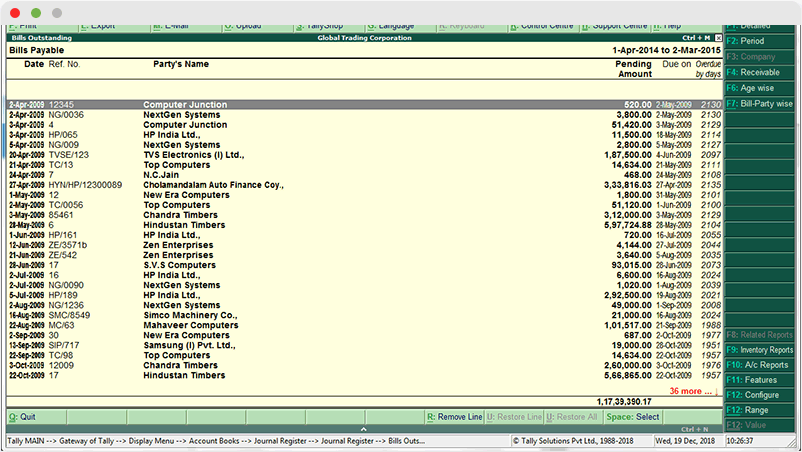
Payable Report in TallyGraphs
Growth Metrics

It includes a summary of key metrics indicators such as,
- Total Payables The total amount need to be paid by the parties.
- Not Due Payments need to paid are usually due within 30days.
- Over Due Payments that were not paid by the deadline (i.e., above 30 days).
- 0-15 Days Payments are expected to pay 0 to 15days.
- 16-30 Days Payments are expected to Pay in 16 to 30days.
Filter Options
Using these filter settings, financial can be filtered easily. The options available in this filters are following:
- All year
- Financial Year
- This Month
- This Week
- Last Week
- Last Month
- Custom date
Another option for the bills Payable dashboard was to filter the data by overdue days, party, or month.
Top Vendors and Due Wise Performance

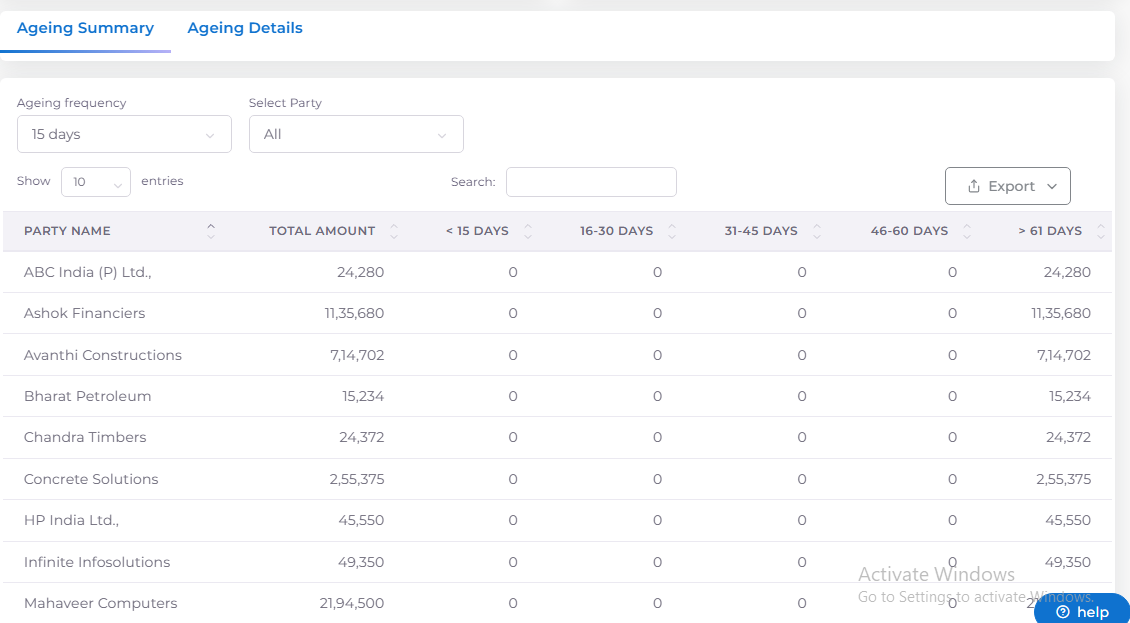
Ageing Summary
It is used to identify the list of party’s with their Payable pending amounts in till date. (or) It is used to list the party wise outstanding amounts.
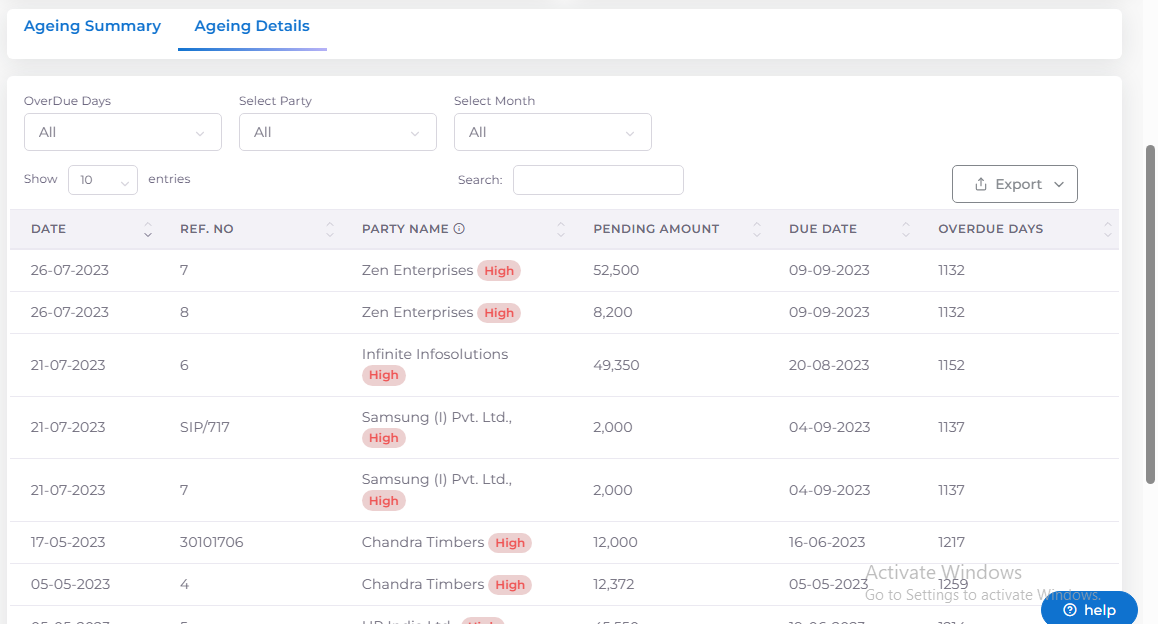
Ageing Details
Used to identify the list of Payable pending bills with their details and amounts. Track all the Pending or Overdue Bills by month wise.
Badge Specification
The badges were divided into three categories
- Low represents overdue between 0 to 10 days
- Medium represents overdue between 11 to 30 days
- High represents overdue above 30 days